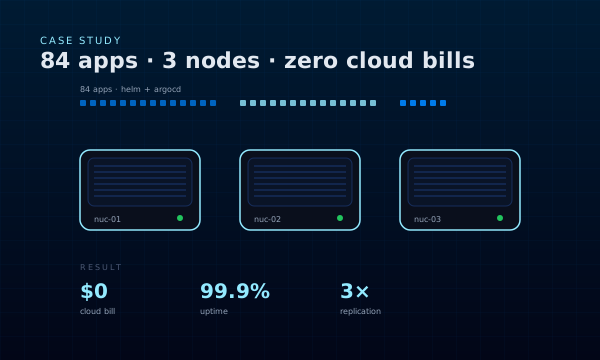
Everyone told us to use the cloud. We chose three Intel NUCs instead.
Not to be contrarian — because the economics made it obvious. A full enterprise platform on three mini-PCs costs around $1,500 one-time in hardware. The equivalent on a major cloud provider starts at $1,000/month for compute alone and climbs fast once you add managed services, storage, data transfer, and GPUs. For a small consultancy, that difference is the margin between profitable and burning cash.
The Cloud Tax Problem
We needed to run our entire platform on a single cluster: CI/CD, a container registry, observability, identity, a service mesh, and an AI agent platform. On AWS, that is ten-plus services, each with its own pricing model, each designed to make you forget how much you’re spending.
Here is the napkin math on AWS for the same workload:
| Line item | Monthly cost |
|---|---|
3× m6i.xlarge EC2 instances | ~$450 |
| EKS control plane | $73 |
| EBS storage (1.5 TB gp3) | ~$90 |
| ALB + NAT + data transfer | ~$150 |
| RDS for Keycloak, Harbor, Langfuse | ~$200 |
| S3 for backups and artifacts | ~$50 |
| Baseline total | ~$1,000/mo |
That is before any GPU workload for local inference, before the managed observability tier (which easily doubles the bill), and before the “surprise” line items that show up on month three.
Our three NUCs? One-time hardware cost. After that: electricity and internet. That’s it.
What We Needed to Run
This is not a hobby cluster. The platform had to be production-grade:
- 84 applications across DevOps, observability, security, AI/ML, and collaboration
- GitOps-managed — every change tracked in git, auditable, reproducible
- SSO everywhere — Keycloak in front of 15+ services
- Full observability — metrics, logs, traces, profiles, error tracking
- Security baseline — runtime protection, policy enforcement, secrets management
- AI platform — LLM gateway, agent orchestration, experiment tracking, local inference
- VM workloads — KubeVirt for running VMs alongside containers, no separate hypervisor
The question was never “can Kubernetes run on bare metal?” — it was “can we build something that rivals a cloud-managed platform on hardware we own?”
Spoiler: yes.
The Hardware
Three Intel NUC 13 Pro units:
- Intel Core i5-1350P (12 cores, 16 threads)
- 64 GB DDR4 per node
- 500 GB NVMe per node
- 2.5 GbE networking
Totals: 36 cores, 192 GB RAM, 1.5 TB NVMe. Rack-mounted in a home lab, behind a UPS, on a dedicated VLAN.
That is enough to run the full stack described above with headroom. Resource utilisation at steady state sits around 45% CPU and 60% memory — plenty of slack for bursts and growth.
What’s Coming in This Series
- Part 2 — Bootstrapping with Tinkerbell and Cluster API: how the nodes provision themselves
- Part 3 — The GitOps architecture: one repo, 84 apps, zero manual deployments
- Part 4 — Observability at scale: LGTM stack, multi-tenant Mimir, Grafana Alloy
- Part 5 — Running an AI agent platform on Kubernetes, with local inference on an NVIDIA DGX Spark
Each post includes real configs, the incidents we actually ran into, and the things we would do differently.
Bare Metal K8s series: Part 1: Why · Part 2: Bootstrap · Part 3: GitOps · Part 4: Observability · Part 5: AI Platform
Cloud Native Solutions builds and operates Kubernetes platforms end-to-end. Talk to us if you want this for your team.